How Chris works
Give Chris a job. Get completed work back.
Chris is an inbox teammate for manufacturers. You define the result. Chris handles the work and returns it through email.
Choose a jobNorthstar quote package is ready
InboxPrepare the Northstar quote package from our approved pricing sheet. Confirm capacity and the June 28 ship date before you return it.
Completed. Production confirmed the June 28 ship date for 4,800 dampers. The quote totals $86,400 at a 24% gross margin. I answered the buyer's freight question, added the payment terms, and attached the finished quote with its source check.
What makes Chris different
Send routine work to Chris.
Get the check, report, scan, or draft back with the sources Chris used.
Weekly quote pipeline is ready
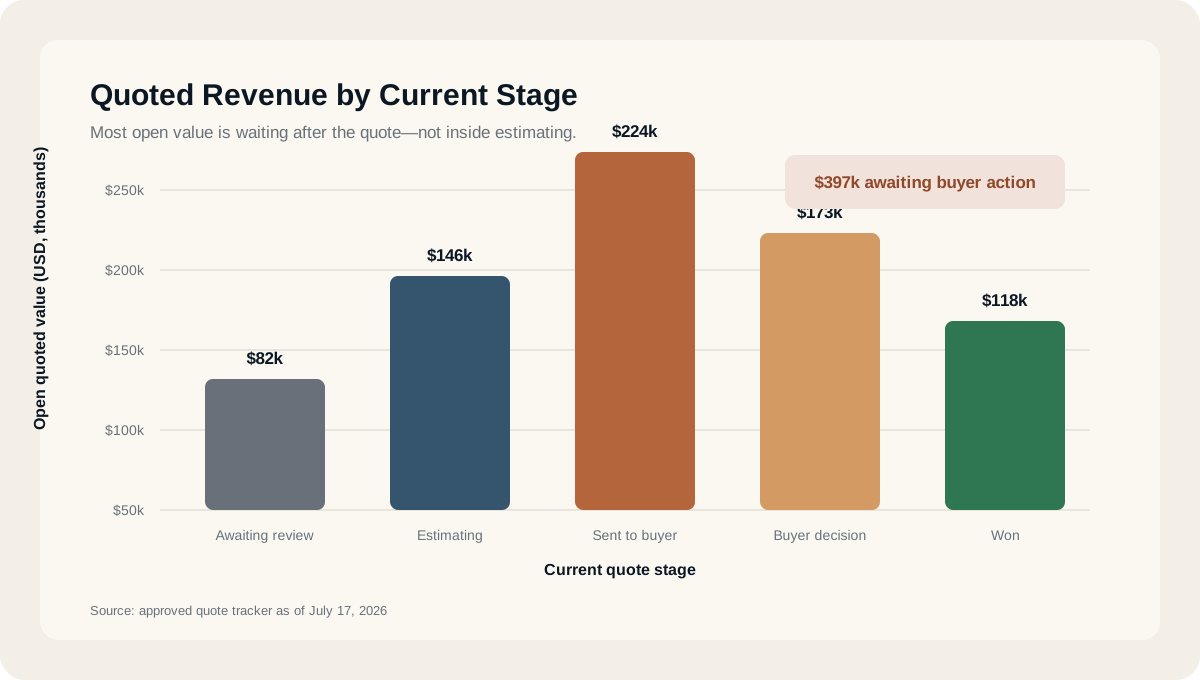
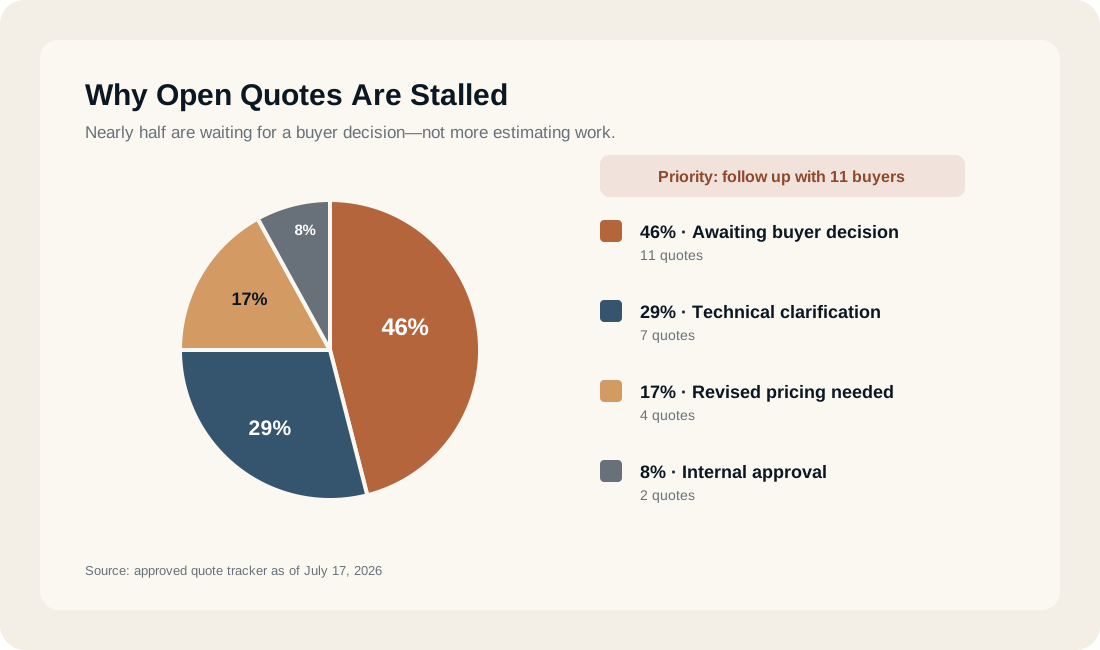
InboxI finished this week’s pipeline report. $486K is active, and $118K is waiting on a buyer response.
The working loop
Assign. Work. Review. Correct. Repeat.
Chris completes the job, shows the source material, remembers approved corrections, and repeats the work when requested.
Five quote follow-ups are ready
InboxChris, check the open quotes from this month. Tell me which buyers need a reply and prepare the follow-ups.
Completed. I checked 18 quote threads. Five need attention, three buyers already replied, and ten remain open. I prepared the five follow-ups and attached a clean quote report with the source thread for every item.
Use the shorter version for Northstar and save that correction for the next quote check.
Updated. The Northstar draft is shorter, and I saved that preference for the next report.
Memory that saves explanation
Chris remembers corrections.
Correct it once. Stop explaining it every week.
Re: Weekly margin report
InboxUse landed cost, not material cost, in this report and going forward.
Updated. The report now uses landed cost, and I saved that as the default for future margin reports. The revised version is attached.
You set the boundaries
What's Allowed
Define what Chris may access, research, draft, and return. All work comes back to your verified inbox for review.
Approval needed: customer response
InboxThe buyer accepted the revised quantity but asked us to guarantee the earlier date. Production has not confirmed that commitment. I prepared a response that acknowledges the request without promising the date. Approve, edit, or hold?
Hold. I will confirm with production first.
See what done looks like